LinkedIn Scheduling Tools vs Multi-Platform Tools

Learn the differences between LinkedIn-specific scheduling tools and multi-platform tools to find the best fit for your social media strategy.

LinkedIn Scheduling Tools vs Multi-Platform Tools

If you're deciding between LinkedIn-specific scheduling tools and multi-platform tools, here's what you need to know. If you're still figuring out the basics of how to schedule LinkedIn posts at all, start with this step-by-step guide before comparing tools.

  • LinkedIn-Specific Tools:
    Perfect for professionals focused solely on LinkedIn. These tools offer features like AI-driven LinkedIn content creation, post/comment scheduling, and LinkedIn-specific analytics. Pricing starts at $24/month. Example: Free LinkedIn Scheduler.
  • Multi-Platform Tools:
    Ideal for businesses managing multiple social media platforms. They provide cross-platform scheduling, unified analytics, and bulk posting. Pricing starts at $49/month. Example: Hootsuite or Buffer.

Quick Comparison

Feature LinkedIn-Specific Tools Multi-Platform Tools
Focus LinkedIn only Multiple platforms
Content Creation Tailored for LinkedIn Generalized for all platforms
Scheduling Post/comment scheduling for LinkedIn Bulk scheduling across platforms
Analytics LinkedIn-focused metrics Unified cross-platform data
Price $24–45/month $49–99/month

Key Takeaway

Choose LinkedIn-specific tools if LinkedIn is your main focus. Opt for multi-platform tools if you're managing several social media accounts. Your choice depends on your goals, budget, and platform priorities.

Which is THE BEST All-in-One Social Media Tool?

Video thumbnail

LinkedIn-Only Scheduling Tools

LinkedIn-specific scheduling tools are designed to help you make the most of the platform by offering features tailored to professional networking.

Key Features of LinkedIn Tools

These tools often include AI-powered content creation paired with pre-designed templates, making it easier to craft professional posts that align with LinkedIn's best practices. Advanced scheduling options let you plan when posts go live and even manage comments, ensuring your content stays consistent and engaging. These features help build a strong LinkedIn-focused strategy.

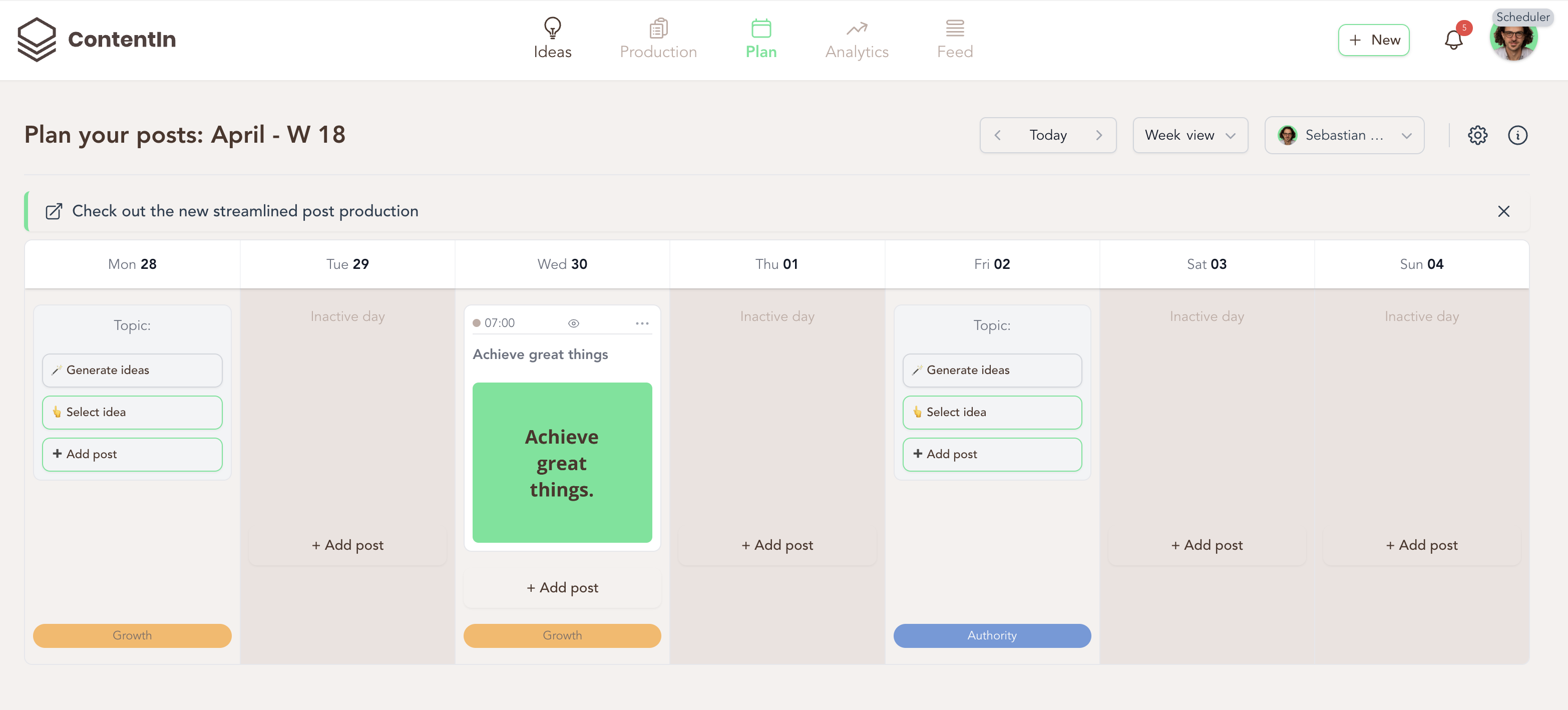
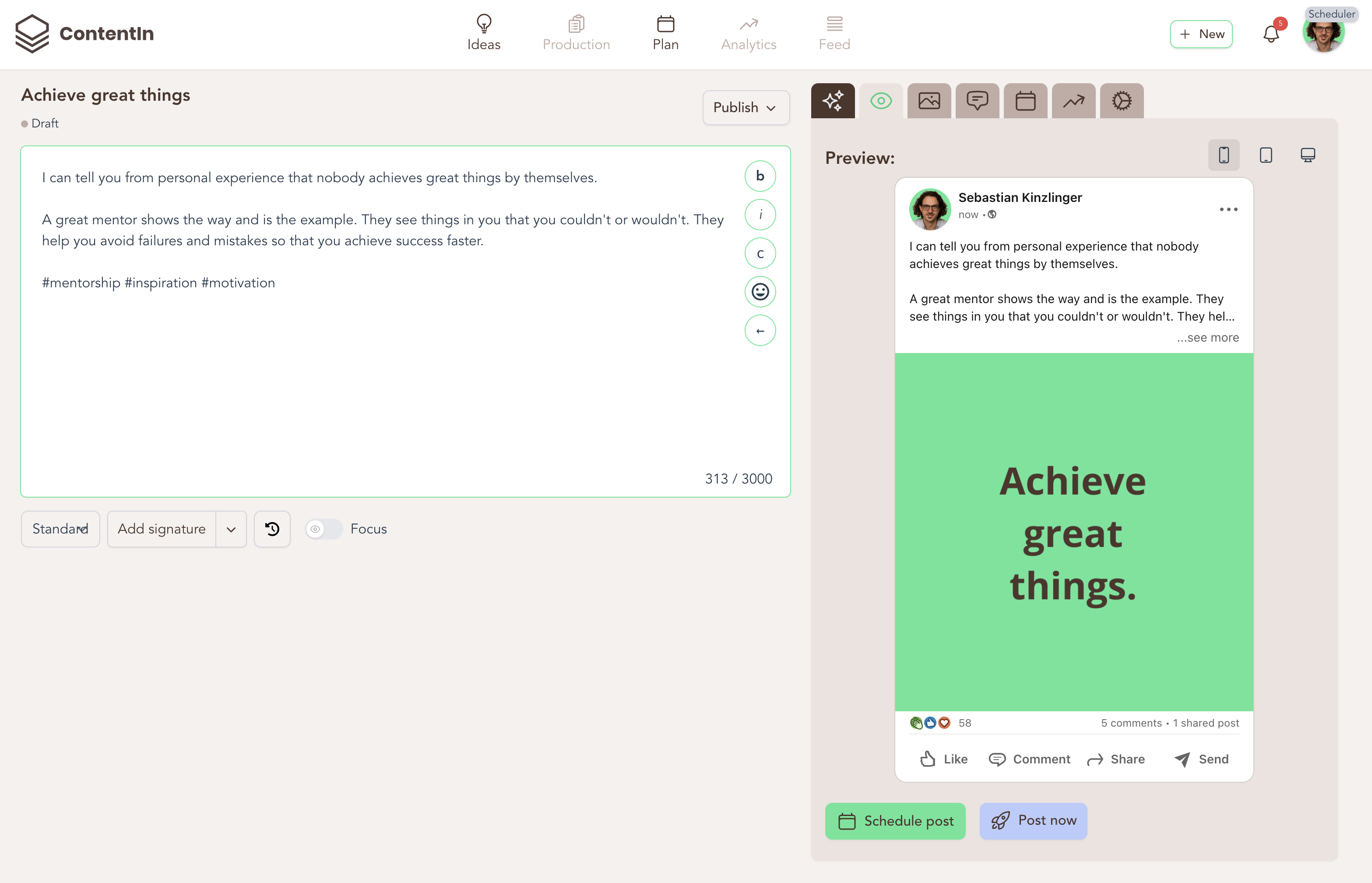
One standout example is ContentIn, which provides a range of LinkedIn-specific features.

Here's a quick overview of what it offers:

Feature Category Functionality Benefit
Content Creation AI Ghostwriter & Templates Simplifies creating LinkedIn posts
Scheduling Post & Comment Scheduling Keeps engagement steady
Analytics LinkedIn Metrics Tracks your professional growth
Engagement Comment Management & FeedZen Eases interaction with your network

These features are designed to help you engage more effectively and execute targeted content strategies on LinkedIn.

Pros and Cons of LinkedIn Tools

While LinkedIn-specific tools offer unique benefits, they also have some drawbacks.

Pros:

  • Seamless integration with LinkedIn
  • Features tailored for professional content
  • AI tools designed for LinkedIn's algorithm
  • Platform-specific analytics to track progress

Cons:

  • Limited to managing LinkedIn only
  • Requires additional tools for other platforms
  • Can be more expensive than general scheduling tools

Users have shared positive experiences with these tools. Jannik Lidner, Co-Founder, said:

"I have already scheduled 14 posts yesterday. Big thumbs-up! The app really makes writing posts a lot easier for me."

Simon Hofmeister, Head of Fashion at TikTok, shared:

"Seriously impressed with ContentIn! It's super intuitive and fantastic for idea generation. It helps me kickstart posts, and I can easily add my own tone of voice. I rarely pay for apps, but this one's worth it - signed up for the annual subscription to make sure I keep using it!"

Pricing for these tools generally starts at $32.50 per month, offering options from basic scheduling to advanced AI-driven content creation. They provide a great way to streamline your LinkedIn strategy and boost engagement.

Multi-Platform Scheduling Tools

Multi-platform scheduling tools bring all your social media content management under one roof, including LinkedIn, while catering to the unique needs of each platform.

Key Features of Multi-Platform Tools

Here’s a breakdown of what these tools typically offer:

Feature Category Functionality Purpose
Planning Cross-platform calendar Map out your content schedule for all platforms
Creation AI writing assistant Generate content tailored to multiple platforms
Scheduling Bulk scheduling Publish posts on several platforms at once
Analytics Unified reporting Monitor performance metrics across all networks

While these tools simplify multi-platform management, they may fall short in optimizing content specifically for LinkedIn.

Leading Multi-Platform Tools

Some notable features of these tools include:

  • Content creation designed for multiple platforms
  • Unified analytics to track performance across channels
  • Bulk scheduling for efficient posting

Popular examples include Hootsuite, Buffer, and Publer. If LinkedIn is a key part of your mix and you're evaluating Publer specifically, it's worth checking how it stacks up against the top Publer alternatives before committing.

Pros and Cons of Multi-Platform Tools

These tools offer a broad approach to social media management, but they come with trade-offs compared to LinkedIn-specific solutions.

Advantages:

  • Manage all your social media accounts from one place
  • Save time with unified scheduling
  • Access simplified analytics for multiple platforms
  • Cost-effective for businesses juggling several platforms

Limitations:

  • Lack of advanced LinkedIn-specific features
  • Generic AI tools may not fully optimize LinkedIn content
  • Missed opportunities for platform-specific enhancements

Ultimately, the decision boils down to your social media goals. If LinkedIn is just one part of your overall strategy, multi-platform tools can be a great fit. But if you're managing multiple platforms, investing in a multi-platform tool could save time and provide better overall functionality.

Direct Tool Comparison

Let's dive into a direct comparison of these tools to help you decide which one suits your business needs best.

User Experience Comparison

Aspect LinkedIn-Specific Tools Multi-Platform Tools
Interface Design Simplified, tailored for LinkedIn Broader design to handle multiple platforms
Learning Curve Easier due to LinkedIn focus Steeper, as it spans multiple platforms
Content Creation Optimized for LinkedIn's formats Generalized, with adjustments for various platforms
Navigation Direct access to LinkedIn features Requires switching between platforms and menus

Scheduling Options Comparison

Feature LinkedIn-Specific Tools Multi-Platform Tools
Post Timing Optimized for LinkedIn's algorithm General timing recommendations
Bulk Scheduling Limited to LinkedIn posts Supports scheduling across multiple platforms
Comment Scheduling Advanced planning for LinkedIn comments Basic engagement tools
Content Types Designed for LinkedIn formats Compatible with various platform requirements

Price Comparison

Tool Type Entry-Level Price Range Enterprise Price Range Key Features
LinkedIn-Specific $24–45/month Custom pricing AI content assistance, LinkedIn templates
Multi-Platform $49–99/month $200–500+/month Cross-platform scheduling, unified analytics

For example, ContentIn starts at $24.15/month for its Starter plan, featuring tools like AI writing assistance and templates designed to boost engagement.

"I love how the Ghostwriter helps me think. It makes me write better posts than I ever could on my own." - Dawid Sobieski, Creative Agency Owner

Tool Selection Guide

Key Selection Criteria

Selection Factor LinkedIn-Specific Tools Multi-Platform Tools
Primary Focus Tailored for LinkedIn content Covers multiple social networks
Budget Often more affordable Higher cost for additional features
Team Size Ideal for individuals or small teams Suitable for teams of all sizes
Insight Depth LinkedIn-focused metrics Cross-platform analytics

Common Use Cases

LinkedIn-specific tools are a great fit for:

  • Professionals building their LinkedIn network
  • B2B companies and thought leaders growing a professional presence
  • Sales teams using LinkedIn for lead generation
  • Recruitment firms managing LinkedIn company pages

Multi-platform tools work well for:

  • Marketing agencies managing multiple client accounts
  • Businesses active on several social platforms
  • E-commerce brands running coordinated campaigns
  • Organizations with integrated social media strategies

Business Size Recommendations

  • Solopreneurs/Small Businesses (1–10 employees): Stick with LinkedIn-specific tools if LinkedIn is your main focus. Tools like ContentIn offer features like AI-assisted writing and post scheduling.
  • Medium-Sized Businesses (11–100 employees): If you’re active on three or more platforms, multi-platform tools are a better choice.
  • Large Enterprises (100+ employees): Multi-platform tools are usually the best option for complex strategies.

Choosing the Right Tool for Your Needs

Deciding between a LinkedIn-specific tool and a multi-platform scheduling tool comes down to the size and goals of your social media strategy. If LinkedIn is your primary focus, a specialized tool might be the better fit. If you're managing multiple platforms, investing in a multi-platform tool could save time and provide better overall functionality.

Related Blog Posts

Create Engaging LinkedIn Content

Use ContentIn's AI Ghostwriter to write posts that resonate with your audience and build your personal brand effortlessly.

Start Your Free Trial